集中管理 tmux 会话和 coding agent。 Manage your tmux sessions and coding agents.
查看哪些 agent 正在工作、等待回复或已经完成,打开对应终端继续操作。终端、菜单栏、iPhone、iPad 和网页共用主机上的状态,HQ 可以协助协调多个任务。 See which agents are working, waiting for a reply or finished, then open the terminal you need. The CLI, menu bar, iPhone, iPad and browser use the same host state. HQ helps coordinate tasks across sessions.
curl -fsSL https://ccy.pub/gtmux/install | bash 

支持 works with Claude CodeCodexGeminiCursorOpenCodeKimi CodeCopilotKiroDeepSeek Harness 以及 tmux 里的任何程序 and any other program in tmux
查看所有会话的状态 Monitor sessions in one list
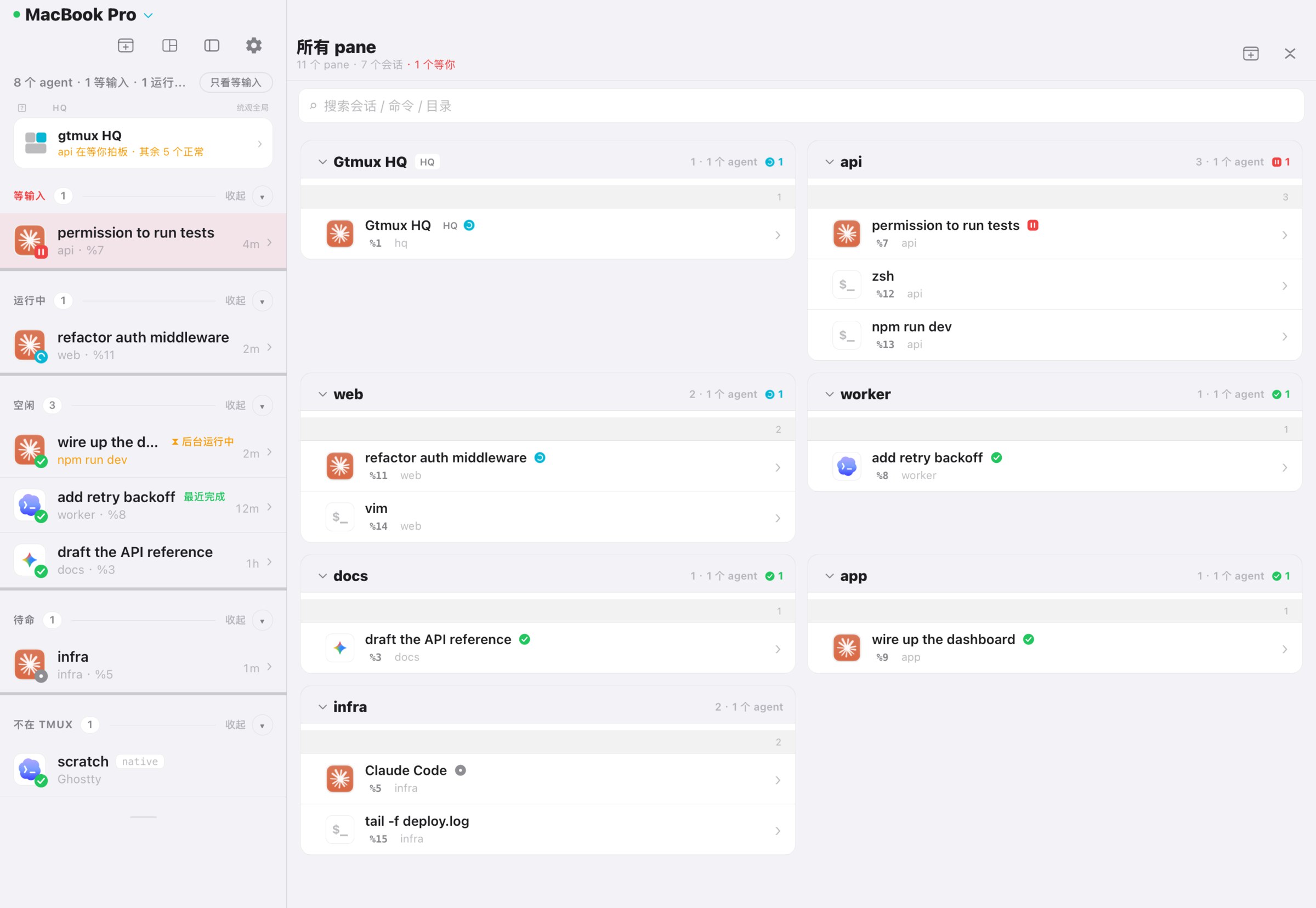
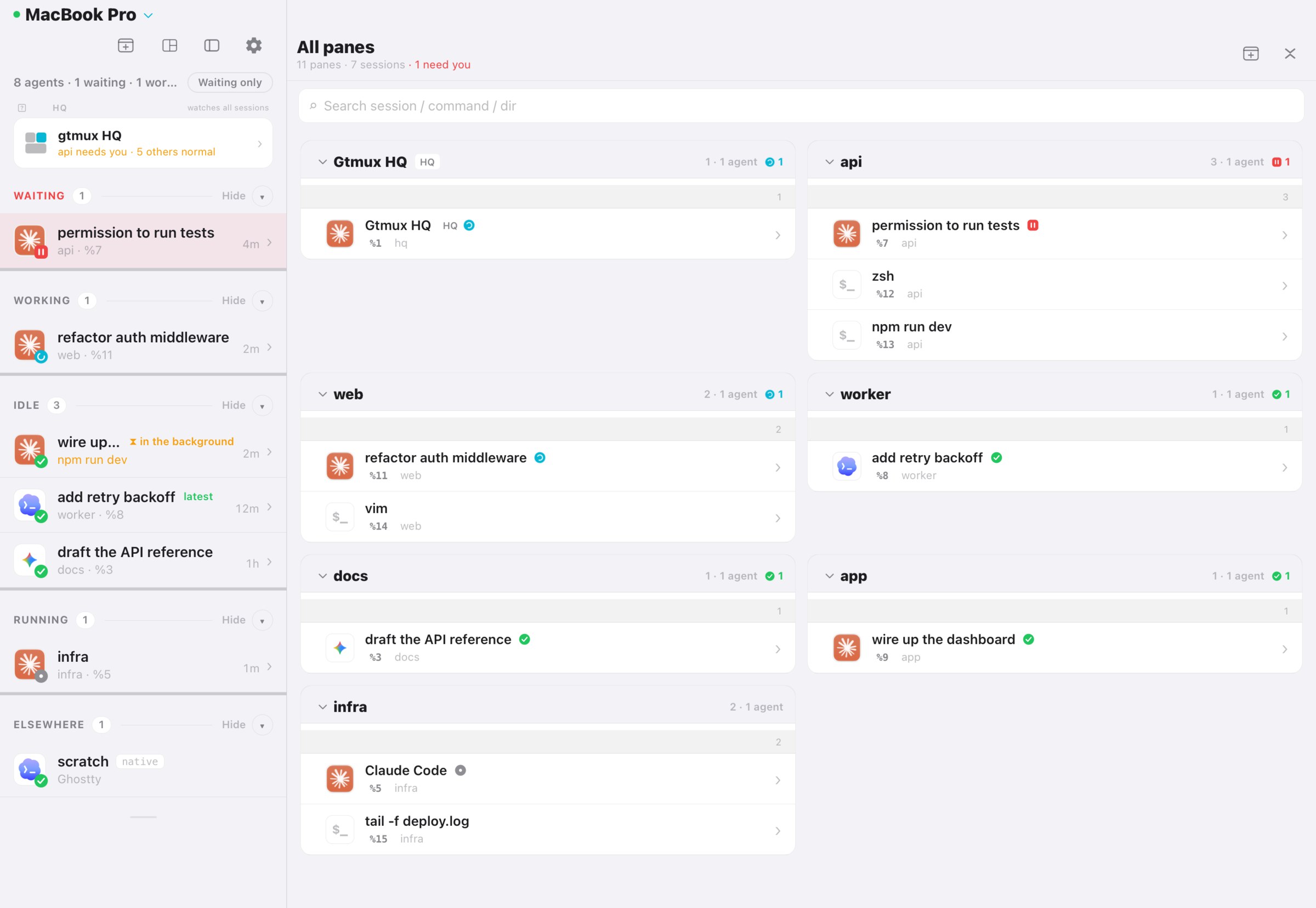
雷达按状态列出 agent,等待回复的排在前面,其次是工作中和已完成的。每种状态都有颜色、图形和文字标记。shell、编辑器和开发服务器等普通 pane 则按 tmux 会话分组显示。 The radar lists agents by state: waiting for input first, followed by working and finished. Each state has a color, symbol and text label. Shells, editors and dev servers are also listed, grouped by tmux session.
- ‖等输入waiting需要你回复或授权needs a reply or permission
- ⠿运行中working正在执行当前任务working on the current task
- ✓空闲idle当前回合已结束the current turn has ended
- ●待命running已识别 agent,回合状态未知agent detected; turn state unknown
- 终端里:
gtmux agents,加--watch常开。 In the terminal:gtmux agents, or keep it open with--watch. - 菜单栏:在菜单栏查看雷达,
⌘⌥G随时呼出。 In the menu bar: view the radar from the menu bar;⌘⌥Gopens it. - 一键跳转:点一行,那个终端窗口和 pane 直接到最前。 One click to jump: that terminal window and pane come to the front.
从手机或浏览器回复 Reply from your phone or browser
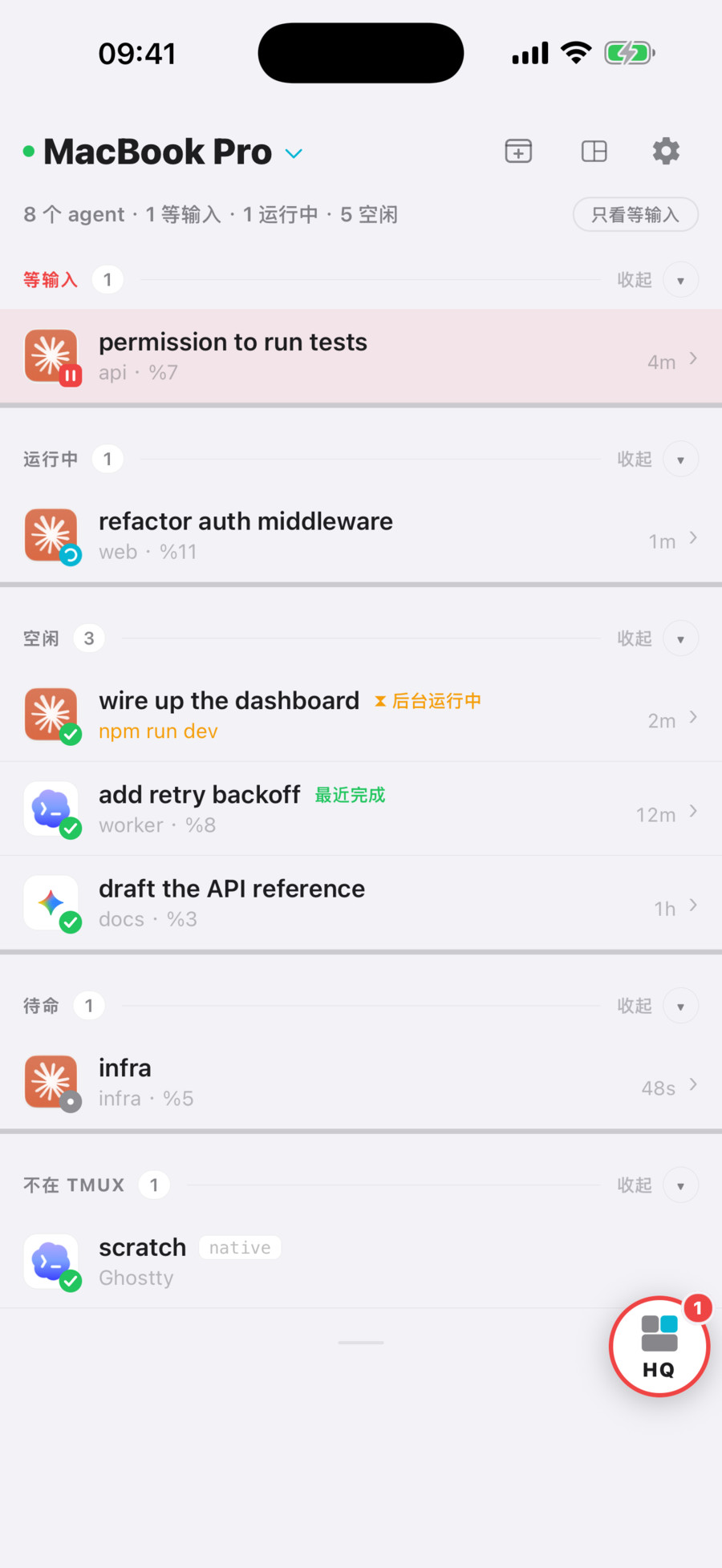
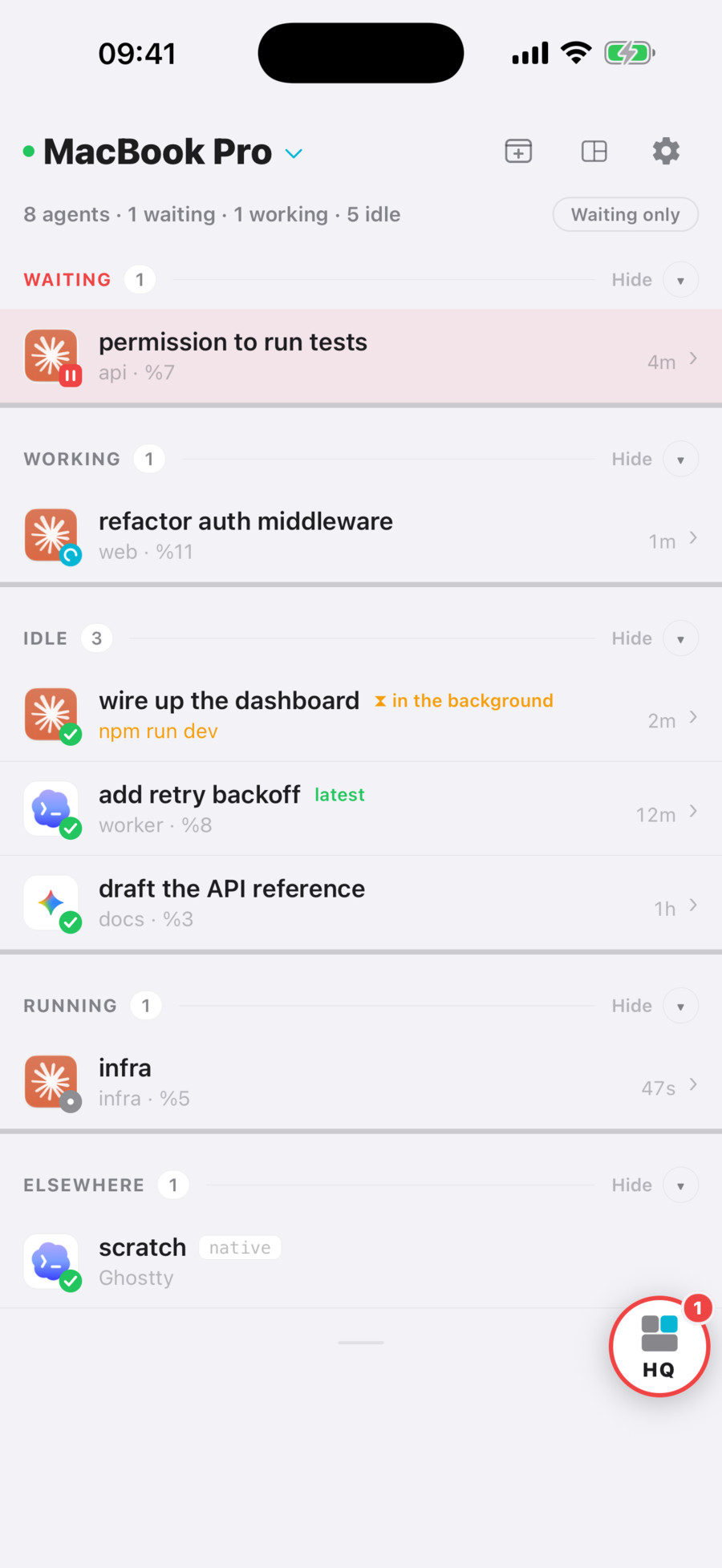
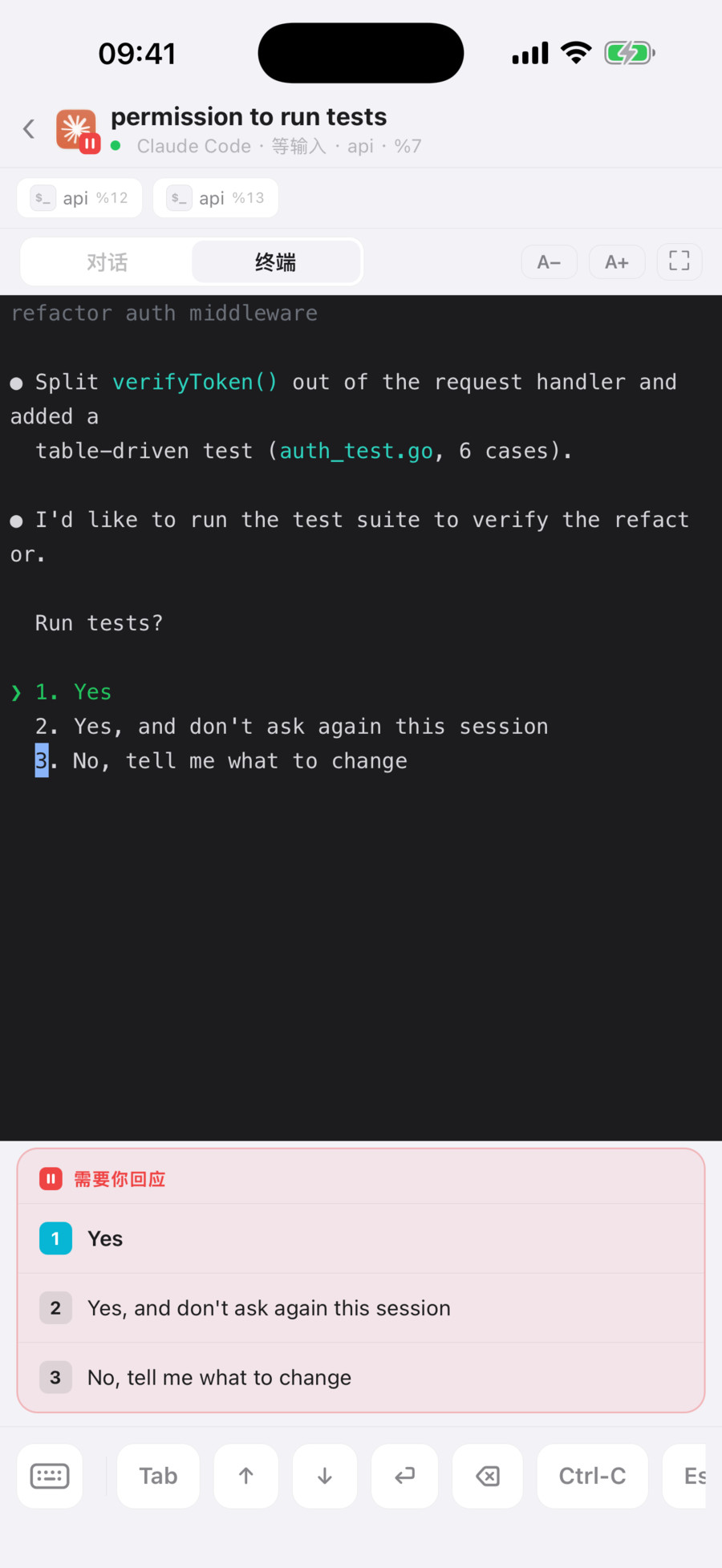
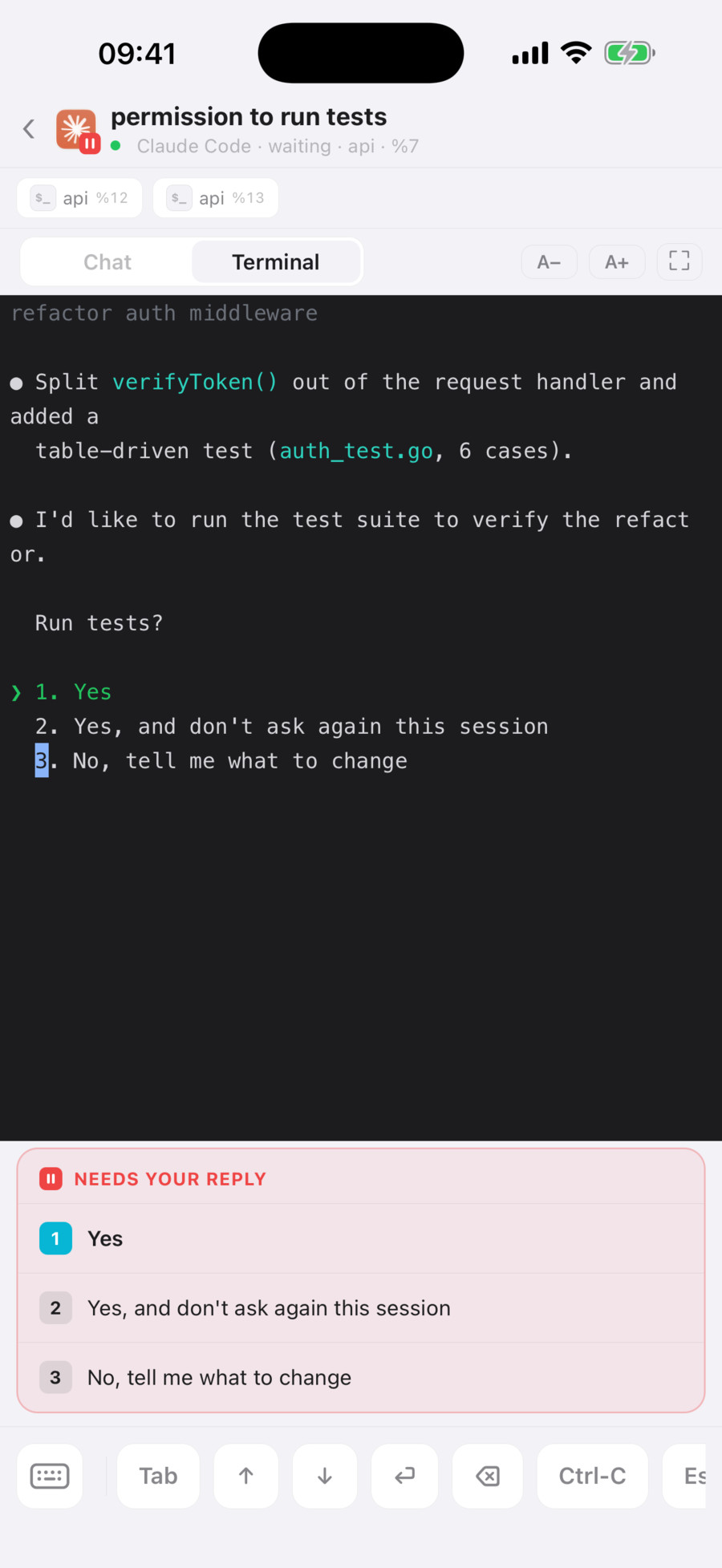
agent 完成任务或需要回复时,手机会收到推送。打开通知可查看对应 pane 的输出,选择 1 / 2 / 3 等选项,或直接输入回复。 Your phone receives a notification when an agent finishes or needs a reply. Open it to read the pane output, choose an answer such as 1, 2 or 3, or type a response.
- iPhone 和 iPad:雷达、实时终端、锁屏推送;支持的 iPhone 上还有灵动岛。 iPhone and iPad: the radar, the live terminal and lock-screen pushes, plus the Dynamic Island on supported iPhones.
- 浏览器:同一块雷达和终端,不用装任何东西。 Any browser: the same radar and terminal, nothing to install.
- 另一台电脑:
gtmux attach在本地终端连接远端 pane 所在的会话。 Another computer:gtmux attachconnects your local terminal to the remote pane’s tmux session. - 配对一次:
gtmux pair给出一次性配对码,扫码、打开链接、粘贴命令都行。跨网络使用时,在运行 gtmux 的主机上开启gtmux tunnel,并保持主机在线。 Pair once:gtmux pairshows a one-time code to scan, open or paste. For access from another network, rungtmux tunnelon the host and keep it online. - 与协作者共享:
gtmux share new生成一条可撤销的访客链接,逐个 pane 决定对方能看还是能输入。 Share with a collaborator:gtmux share newmakes a revocable guest link; you decide, pane by pane, what they can see and where they can type.
用 HQ 协调多个 agent Coordinate agents with HQ
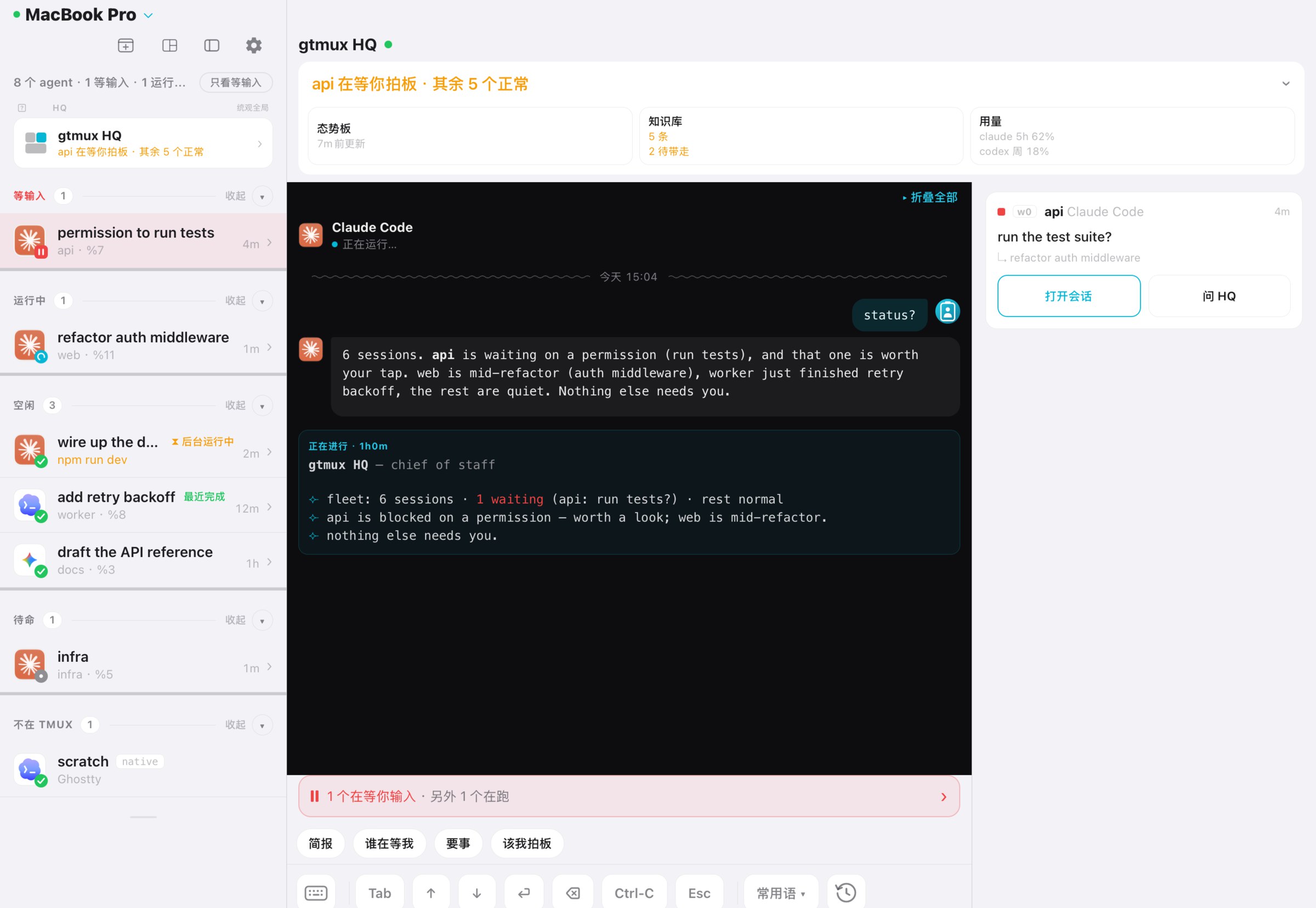
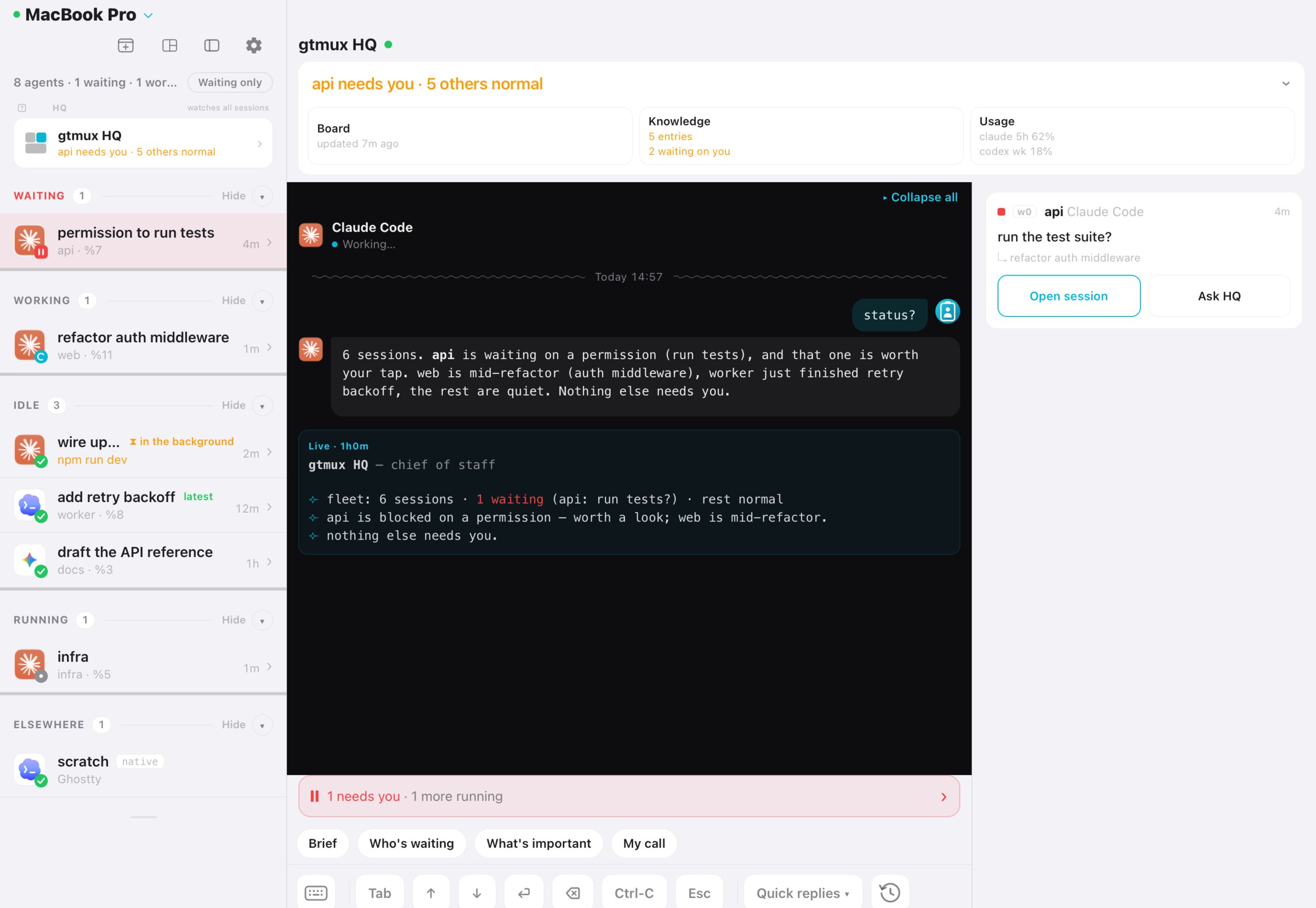
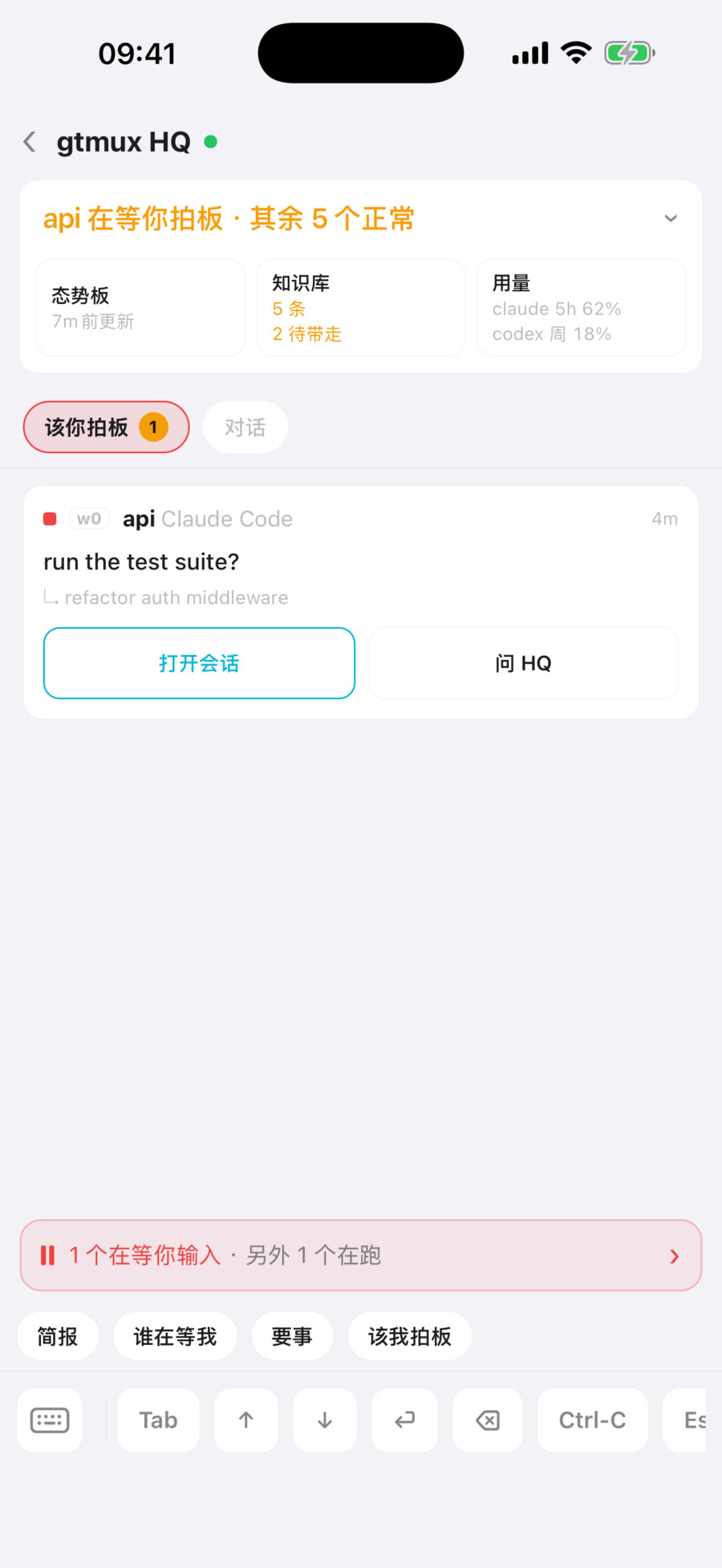
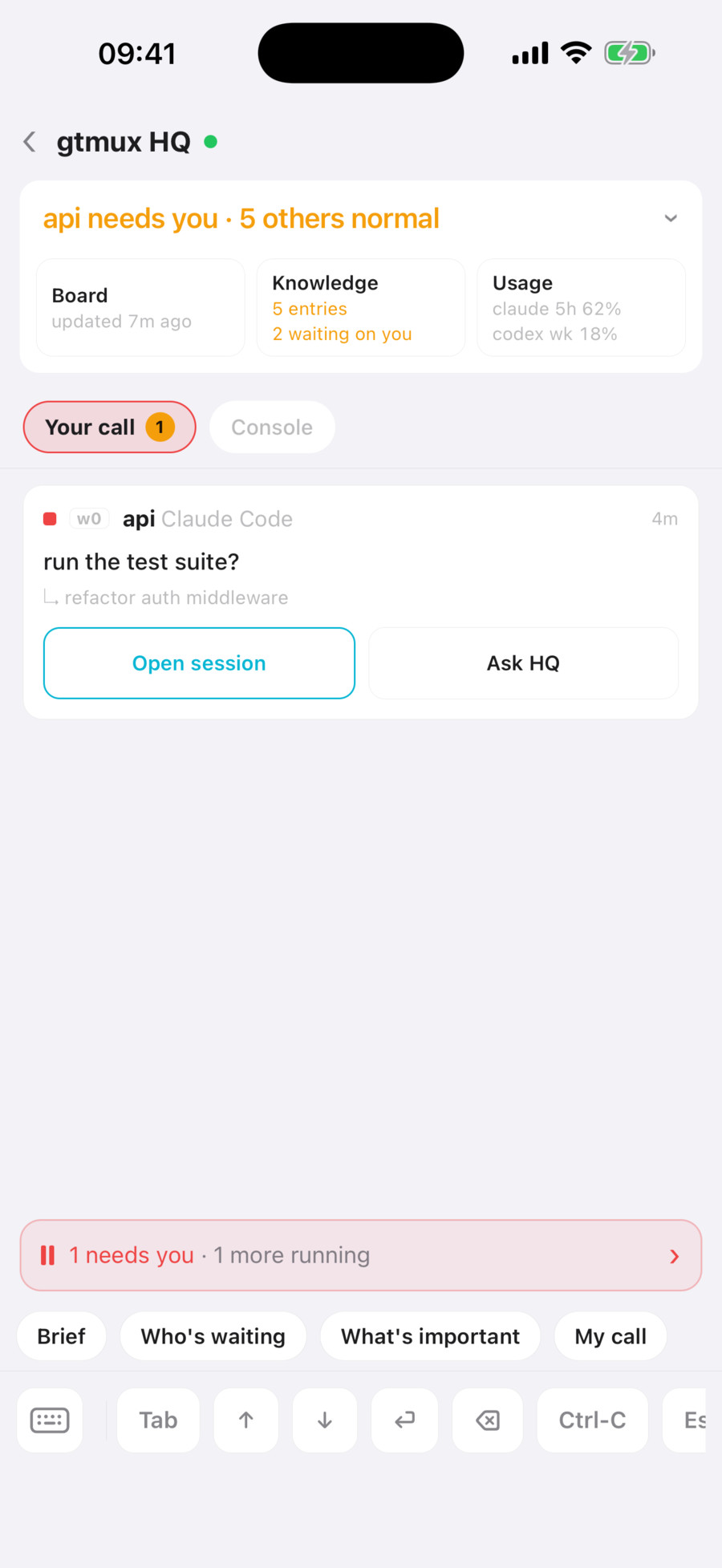
HQ 是在独立会话中运行的中控 agent。它读取事件、维护态势板、分派任务并跟进结果,需要你决定时会说明情况和建议。 HQ is a supervisor agent running in its own session. It reads events, maintains a situation board, assigns tasks and follows up on results. When a decision needs your input, it presents the context and a recommendation.
gtmux hq HQ 使用已安装的 agent 运行,例如 Claude Code 或 Codex。 HQ runs through an installed agent such as Claude Code or Codex.
- 按事件唤醒Event notifications
agent 等待回复、完成任务、报错或更改目标时,gtmux 会通知 HQ。HQ 再读取事件详情;定时检查没有新变化时,不会触发模型调用。gtmux notifies HQ when an agent waits, finishes, fails or changes its goal. HQ then reads the event details. A scheduled check with no changes does not invoke the model.
- 态势板Situation board
态势板记录各会话的任务和阻塞原因。HQ 重启或开启新会话后,会读取这些记录再继续处理。The board records each session’s task and blockers. HQ reads those records when it restarts or begins a new session.
- 事件分级Event priority
事件按重要程度分类。重要事项会优先汇报,日常事件只记录。使用
gtmux quiet可以减少提醒。Events are classified as routine, notable or important. HQ prioritizes important events and records routine ones. Usegtmux quietto reduce notifications. - 决策范围Decision scope
HQ 可以执行已讨论范围内、低风险且可撤销的操作。其他事项会提交给你决定。HQ can act on reversible, low-risk work within the scope you have discussed. It refers other decisions to you.
- 任务分派与清理Task dispatch and cleanup
gtmux spawn起新 agent,并确认任务真的送到了;gtmux tasks记账;gtmux reap只在分支已合入、工作区干净时才回收。gtmux spawnstarts an agent and confirms the task actually landed;gtmux taskskeeps the ledger;gtmux reapreclaims a worktree only once its branch is merged and the tree is clean.
- 随问随答Ask any time
你可以询问任务进展、等待回复的会话或重要事项。状态有变化时,HQ 每 10 分钟汇总一次。Ask HQ about progress, waiting sessions or important events. When the state changes, it provides a summary every 10 minutes.
- 记录纠正与经验Corrections and knowledge
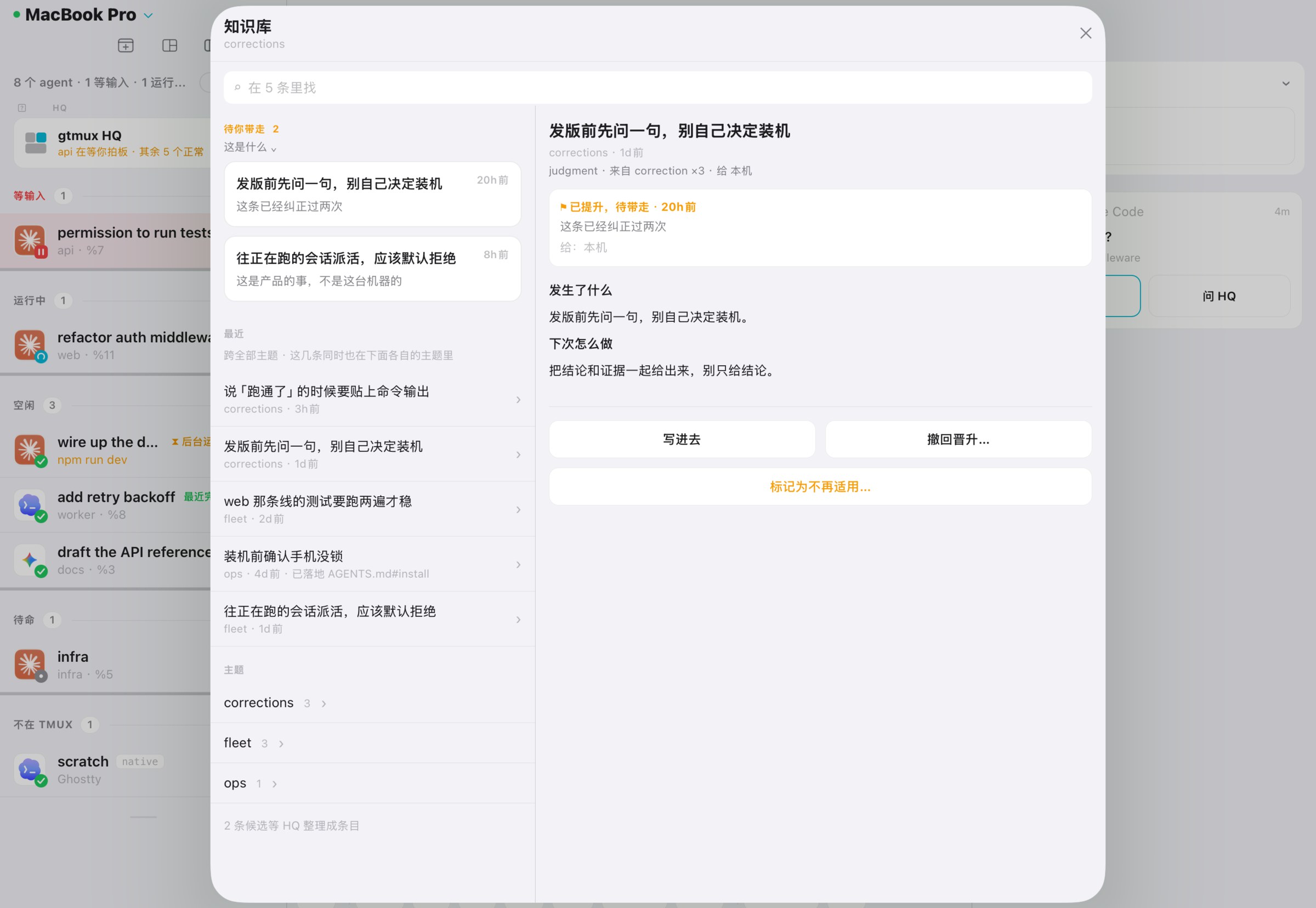
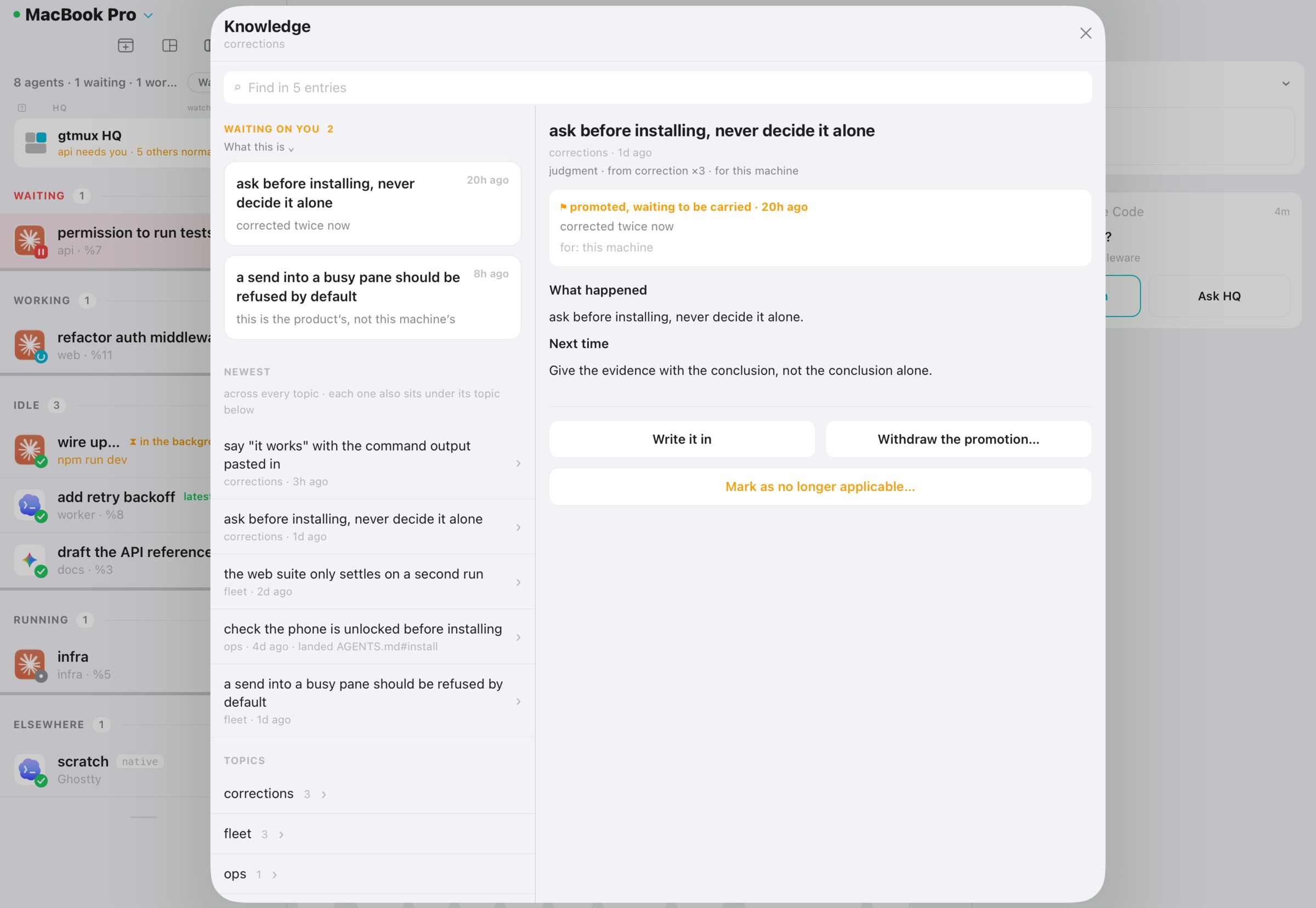
HQ 将有用的纠正整理到知识库。gtmux 每天从 agent 会话记录中收集纠正线索,供 HQ 审核;适用于整台主机的经验可写入各 agent 的说明文件。HQ records useful corrections in its knowledge base. gtmux collects candidate corrections from agent logs each day for HQ to review. Lessons that apply across the host can be added to the agents’ instruction files.
- 会话轮换与自检Session rotation and checks
HQ 会在会话达到时长或上下文阈值时更新记录、写好交接,再启动新会话。它也会定期检查自己的档案。When its session reaches an age or context threshold, HQ updates its records, writes a handover and starts a new session. It also checks its records periodically.
- 导出与迁移Export and migration
gtmux hq --export打包它的全部档案:态势板、知识库和你的规则,换台电脑用--import接着用。你的长期规则写在LOCAL.md,升级不会覆盖。gtmux hq --exportpacks up its records: the board, the knowledge base and your rules;--importon another computer carries on. Your standing rules live inLOCAL.md, which updates never overwrite.
数据与远程连接 Data and remote connections
不用注册No account
gtmux 无需注册账号,设备通过配对连接主机。gtmux requires no account. Pair your devices to connect to the host.
不收集数据No tracking
应用不含统计和遥测。iPhone app 的 App Store 隐私标签为「不收集数据」。The app has no analytics or telemetry. Its App Store privacy label is “Data Not Collected”.
主机提供数据Your host serves the data
agent 在你的主机上运行。远程设备通过网络连接主机;跨网络访问使用隧道,推送中继只接收状态文字和设备推送 token。Agents run on your host. Remote devices connect to it over the network, using a tunnel across networks. The push relay receives a short status message and a device push token.
开源Open source
代码以 MIT 协议开源。The source code is available under the MIT license.
常见问题 Questions
一定要用 tmux 吗?Do I have to use tmux?
终端跳转、回复和 attach 需要 agent 运行在 tmux 中。关闭终端窗口或断开网络后,tmux 会话仍可在主机上运行。tmux 外的 agent 可通过 hook 提供只读状态;符合恢复条件的会话可用 gtmux adopt 转入 tmux。初次使用可先看官方入门。 Terminal focus, replies and attach require an agent running in tmux. Its session can keep running on the host after the terminal closes or the network disconnects. Hooks provide read-only status for agents outside tmux; eligible resumable sessions can move into tmux with gtmux adopt. Start with the official tmux guide if needed.
支持哪些 agent?Which agents does it support?
支持 Claude Code、Codex、OpenCode 等 coding agent,各自的状态上报、对话读取和输入能力有所不同。查看接入方法。 gtmux supports coding agents including Claude Code, Codex and OpenCode. Status reporting, conversation reading and input support vary by agent. See setup instructions.
支持哪些终端?Which terminals does it work with?
除了「一键跳到 pane」,其余都只依赖 tmux,任何能跑 tmux 的终端都行。跳转需要 gtmux 能控制的终端:Ghostty 1.3 及以上、iTerm2、cmux;Warp 尽力支持,能把 Warp 切到前台,但不一定落到准确的标签页。我们推荐 Ghostty + tmux + gtmux。 Everything except jumping to a pane needs only tmux, so any terminal that runs tmux works. Jumping needs a terminal gtmux can drive: Ghostty 1.3 or later, iTerm2, or cmux. Warp is best effort: gtmux brings Warp forward, but may not land on the exact tab. We recommend Ghostty + tmux + gtmux.
离开电脑时,我的代码会被传出去吗?Does my code leave my computer?
手机通过网络读取主机上的终端内容。跨网络访问时,流量经过隧道;隧道服务不查看或保存内容。推送中继接收简短状态和设备推送 token,不接收终端内容。详见隐私政策。 Your phone reads terminal content from your host over the network. Across networks, traffic passes through a tunnel whose service does not inspect or store the content. The push relay receives a short status message and device push token, without terminal content. Details in the privacy policy.
只能用在 Mac 上吗?Is it Mac only?
gtmux 支持 macOS 和 Linux 服务器(amd64、arm64)。可以通过 iPhone、iPad、浏览器或另一台电脑的终端连接;菜单栏应用仅适用于 macOS。参阅平台支持说明。 gtmux runs on macOS and Linux servers (amd64 and arm64). Connect from an iPhone, iPad, browser or another computer’s terminal. The menu-bar app is macOS-only. See platform support.
收费吗?What does it cost?
CLI、菜单栏 app 和 iPhone / iPad app 都免费,代码开源。 The CLI, the menu-bar app and the iPhone / iPad app are free, and the code is open source.
开始使用 Get started
- 1 安装Install CLI 和菜单栏 appthe CLI and the menu-bar app
curl -fsSL https://ccy.pub/gtmux/install | bash安装脚本会验证发行清单的签名,GitHub 也提供完整发行包。iPhone 和 iPad app 从 App Store 安装。 The installer verifies signed release metadata. Release packages are also available on GitHub. Install the iPhone and iPad app from the App Store.
直接下载文件Download files directly
brew install chenchaoyi/tap/gtmux brew install --cask chenchaoyi/tap/gtmux-app - 2 设置Set up 检查环境并按提示配置,修改前会征求确认checks your setup and asks before making changes
gtmux doctor - 3 连上手机Add your phone 可选;用 iPhone / iPad app 扫码optional; scan it with the iPhone / iPad app
gtmux pair